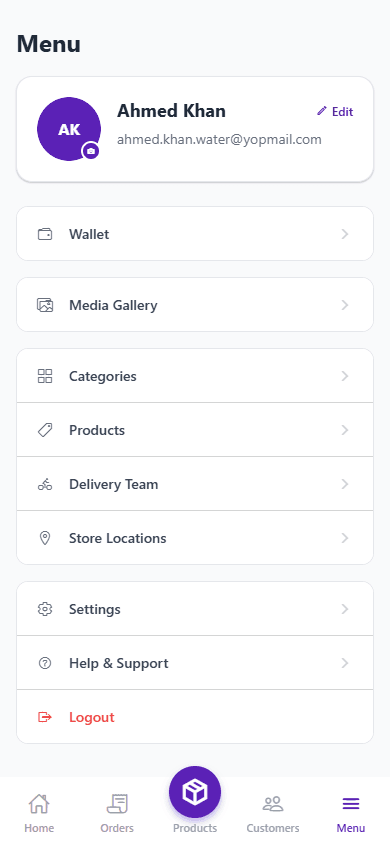
An app for suppliers. Keep customers, orders and deliveries in one place.
If you sell water, milk, gas cylinders or food and deliver it yourself, 4Supplier replaces your notebook and WhatsApp chats. Save your customers, take orders, send deliveries to your team and see who still owes you money.
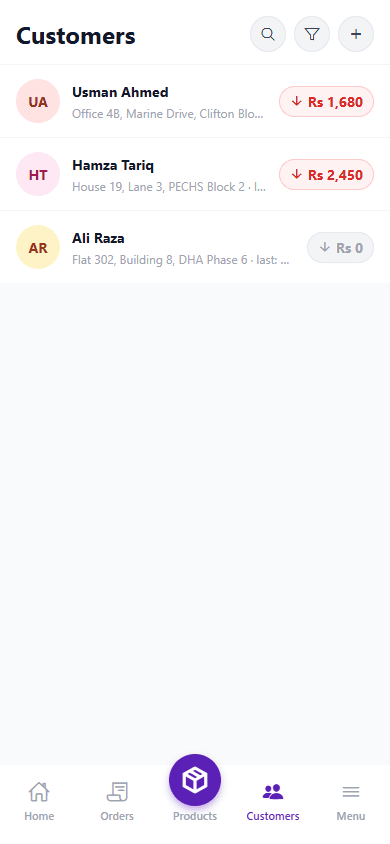
12
3 pending assignment
Rs 4,250
Across 6 customers
Rs 18,300
This month
Running Deliveries From a Notebook Gets Harder Every Month
Ten customers fit in a notebook. A hundred do not. Orders end up in chats, balances live in your head, and something always gets missed.
Customer details everywhere
Names, addresses and balances are split between a notebook, WhatsApp and your memory.
Orders written by hand
When you write orders down, it is easy to skip one, get a quantity wrong or forget what is still pending.
Delivery by phone call
You tell your drivers what to deliver over calls and texts, and nobody has a clear record of who took what.
Repeat orders get missed
Daily milk or weekly water bottles are easy to forget by hand. You often find out when the customer calls to complain.
Nobody knows who owes what
Without a proper record, you cannot say who still owes you money or whether your driver handed over the cash.
No view of your day
You cannot quickly see how many orders are due today, what was delivered and how much cash you have.
Updates get lost
With no shared record, the status of an order gets lost between you, your driver and your customer.
More customers, more confusion
Every new customer adds more things to remember, and the manual way stops working.
One App for Your Whole Delivery Business
4Supplier puts your customers, orders, deliveries and money in one mobile app. It follows the way a supplier works day to day.
Customer management
Each customer has a profile with their address, balance and security deposit. You can search for anyone.
Order management
Add a one-time order or a repeat delivery from your product list, and check the status of any order.
Delivery management
Give orders to your drivers, move them to someone else if needed, and see which ones are done.
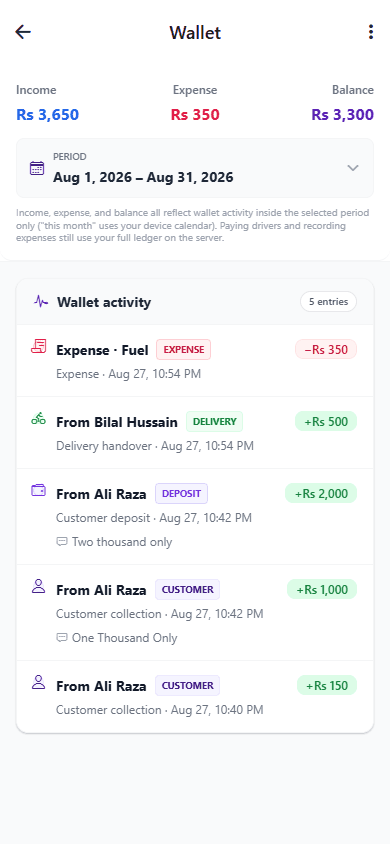
Wallet and payments
Record what you earn and spend, the cash your customers pay and the cash your drivers hand back.
Your day at a glance
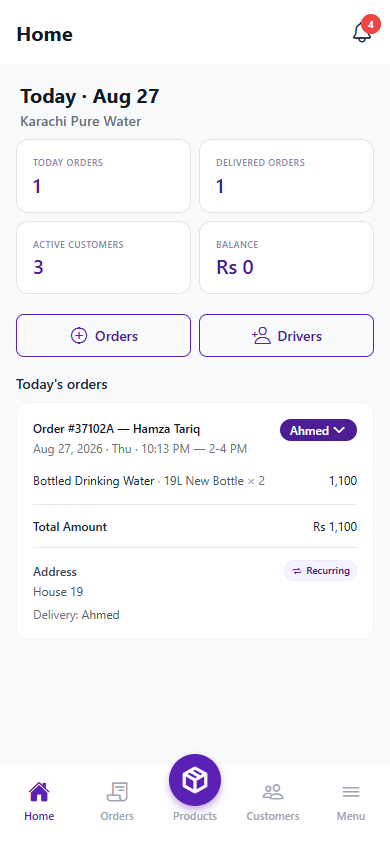
Open the app and see today's orders, what has been delivered, your customers and your balance.
Less daily paperwork
Stop copying notes and making the same calls every day. The app keeps the records for you.
How 4Supplier Works, Step by Step
Add your customers
Save each customer with their delivery address. Their past orders, balance and deposit stay on their profile.
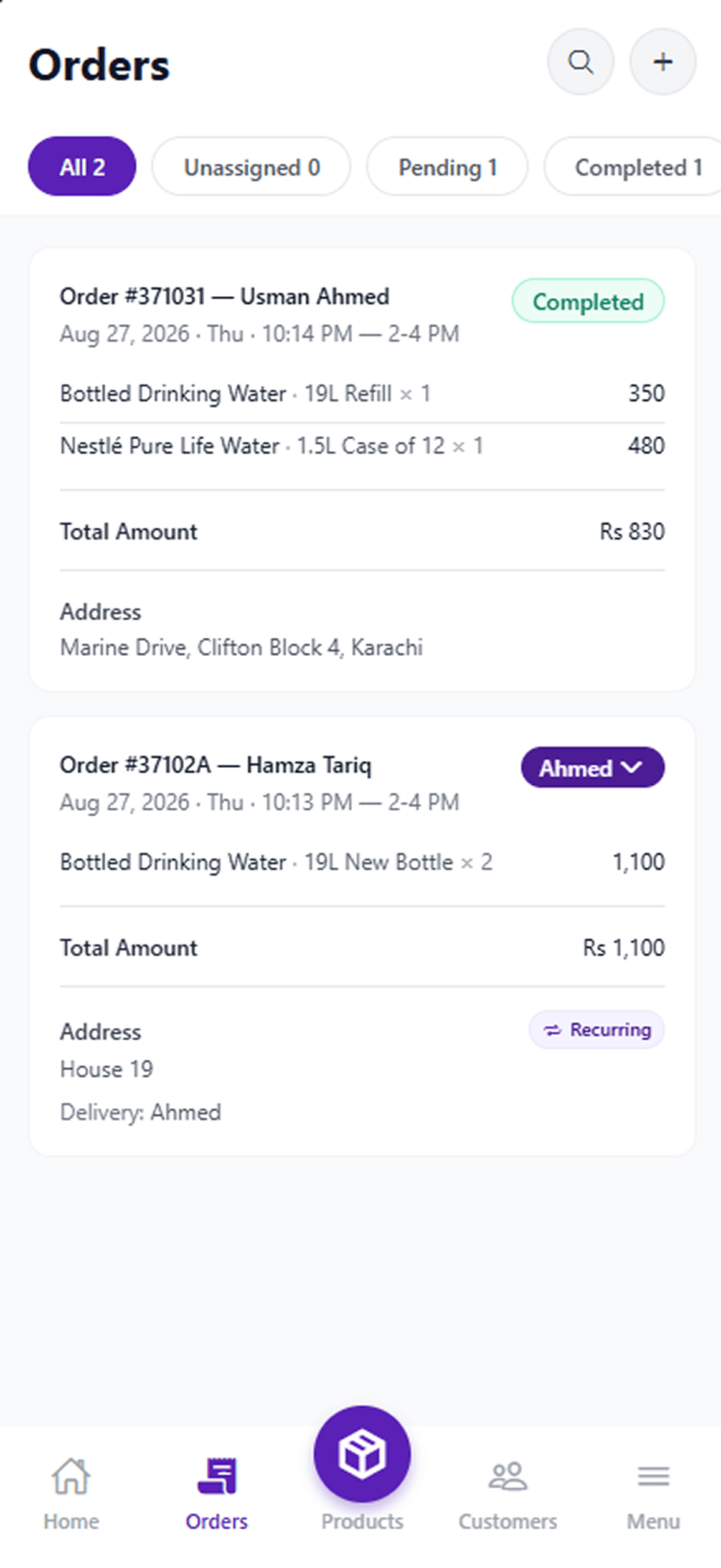
Take orders
Create a one-time or repeat order from your product list and follow it from pending to delivered.
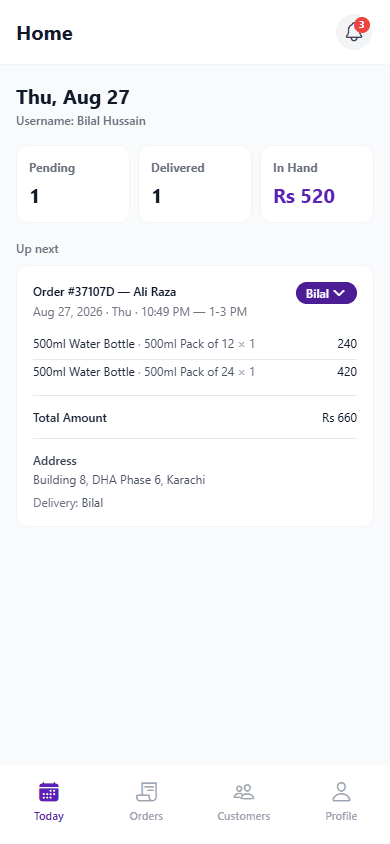
Send out deliveries
Assign each order to a driver. Your drivers see their own list, and you can see what is still pending.
Check your money
Open the wallet to see what came in, what went out and what your balance is.
What You Can Do With 4Supplier
These are screenshots from the app. Here is how suppliers use it for customers, orders, deliveries and cash.
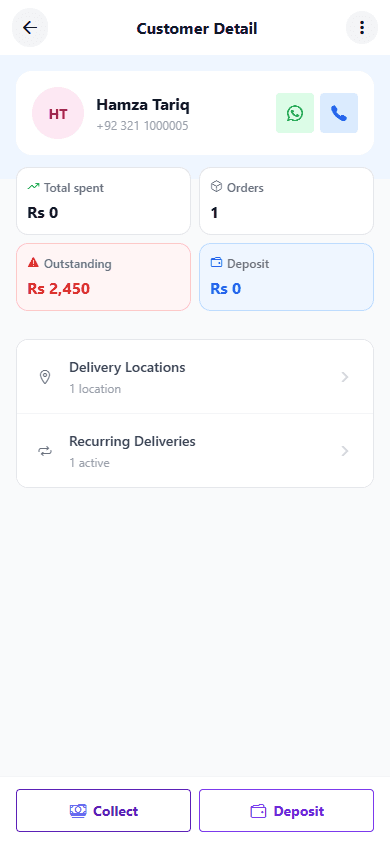
Keep all your customers in one list
Each customer profile holds their contact details, delivery addresses, order history, unpaid balance and security deposit.
- Find any customer with a quick search
- See total spent, number of orders, unpaid amount and deposit
- Write down payments and deposits as you receive them
See which orders are due and which are done
Make a one-time order or a repeat delivery from your product list. Set the quantity, the price and a delivery time.
- Filter orders by all, unassigned, pending or completed
- Repeat orders are marked so you can tell them apart
- Every order shows the total amount and the address
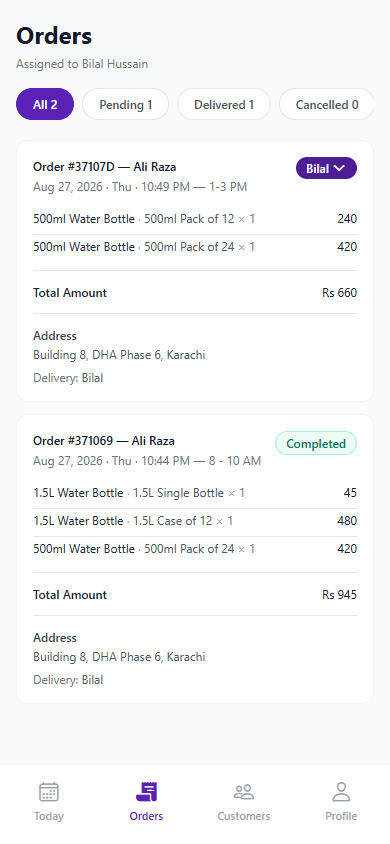
Give each driver their own delivery list
Assign orders to your drivers or change the driver later. Each driver logs in and sees their own pending and finished deliveries.
- Assign an order to a driver in one tap
- Drivers see today's orders and the delivery times
- Track the cash each driver collected and handed over
Know who owes you money without guessing
The wallet keeps a record of income, expenses, customer payments, deposits and the cash your drivers give you.
- Check income, expenses and balance for any period
- Each entry is linked to a customer, an order or a driver
- Unpaid balances go down when you record a payment
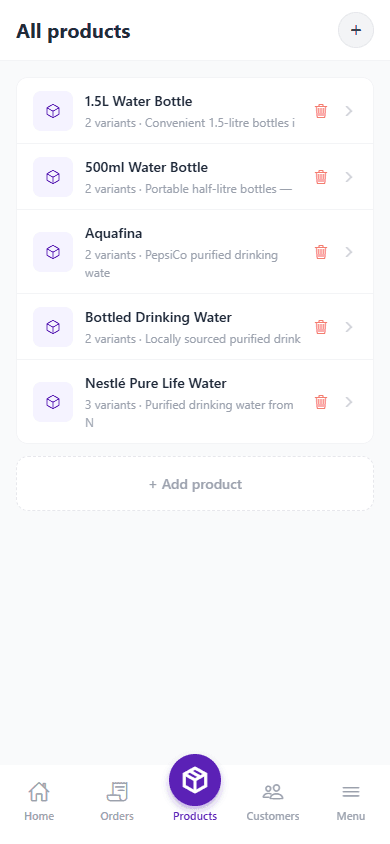
Add the products you sell
Group your products into categories and add sizes and prices. It works for bottled water, milk, gas cylinders or meals.
- Add the same product in different sizes or prices
- Use categories to find products faster when taking an order
- Change prices whenever they change
See the Supplier App in Action
Swipe through screenshots of the supplier app and see what you will use every day.
Why Suppliers Use 4Supplier
Save time
Spend less time writing down orders, customers and payments by hand.
Stay organized
Customers, orders and deliveries are in one app, not in separate notes.
Know your customers
Open any customer to see their history, balance and addresses.
Easier deliveries
Assign deliveries to your team without a call for every order.
Fewer mistakes
The app keeps one record, so there are fewer wrong quantities and forgotten orders.
Room to grow
When your records are in order, taking on more customers is less stressful.
Notebook vs. 4Supplier
The same business, run in two different ways.
Without 4Supplier
- Customer details in notebooks and chats
- Orders written by hand, so mistakes happen
- Drivers told what to do by call or text
- The same paperwork repeated every day
- No quick way to see how the day is going
- Details get lost or forgotten
With 4Supplier
- All customers in one searchable list
- Orders you can create, assign and follow
- Deliveries assigned from your phone
- A routine that is the same every day
- Orders, deliveries and wallet visible together
- Everything on your phone when you need it
Who Uses 4Supplier
It is made for any business that sells a product and delivers it to customers, either on a schedule or when they order.
Bottled water suppliers
Handle one-time refills and regular bottle deliveries for each customer.
Milk & dairy suppliers
Set up daily deliveries once instead of entering them every morning.
Gas cylinder suppliers
Keep track of cylinder orders, deliveries and customer deposits.
Restaurants and food delivery
Take orders and send them to your delivery riders.
Other delivery businesses
You add your own products, so it works for whatever you sell.
Made for How Suppliers Work
4Supplier is a new app. We designed it around how suppliers, drivers and customers handle an order, not around a generic business template.
Based on real routines
The screens follow what suppliers do each day: add a customer, take an order, send a delivery, collect payment.
Three logins
Suppliers, delivery people and customers each get their own login with only what they need.
Your data stays yours
Your customer and delivery data belongs to your account. Other suppliers on the app cannot see it.
We are signing up our first suppliers. Their feedback will be added here once they have used the app.
Frequently Asked Questions
4Supplier is a mobile app for businesses that sell and deliver products like bottled water, milk, gas cylinders or food. You use it to save your customers, take orders, set up repeat deliveries, give work to your delivery team and keep track of the money you are owed.
Ready to Stop Running Your Deliveries From a Notebook?
Put your customers, orders and deliveries in one app. 4Supplier is not on the App Store or Google Play yet. Email info@nsians.com and Nsians will tell you when the Android and iOS listings go live.
See How It Works