How to Manage Recurring Deliveries and One-Time Orders Together
Daily milk, weekly water, monthly gas, plus the orders that come in by phone. A practical system for running recurring and one-time deliveries from one list without missing any.
By Saima · · 9 min read
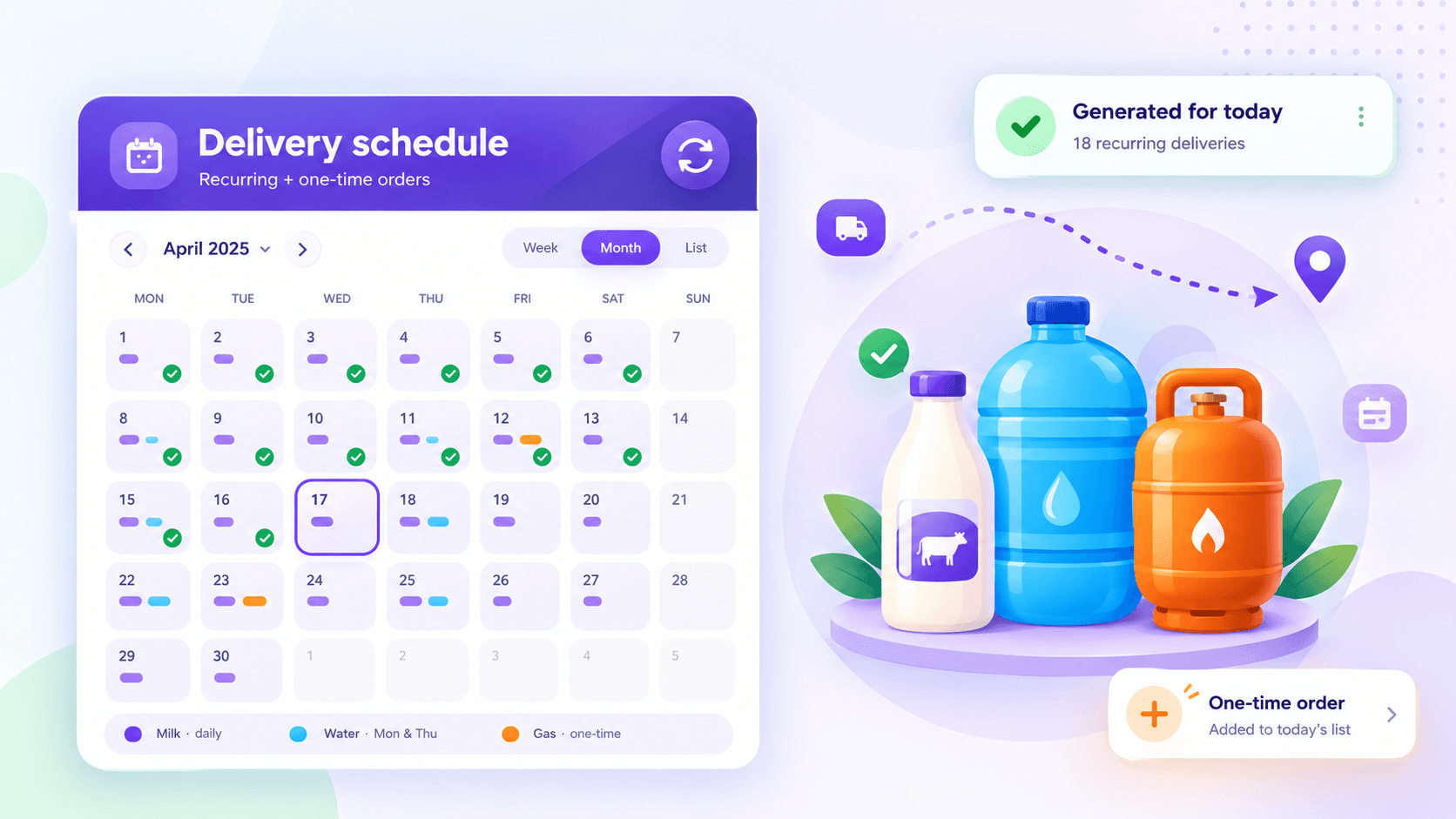
If you deliver products to the same customers again and again, such as milk every morning, water every week or gas every month, your business runs on two kinds of orders. Recurring deliveries are the standing orders that repeat on a schedule. One-time orders are everything else: a customer who runs out early, a new customer trying you out, an office that needs extra for an event.
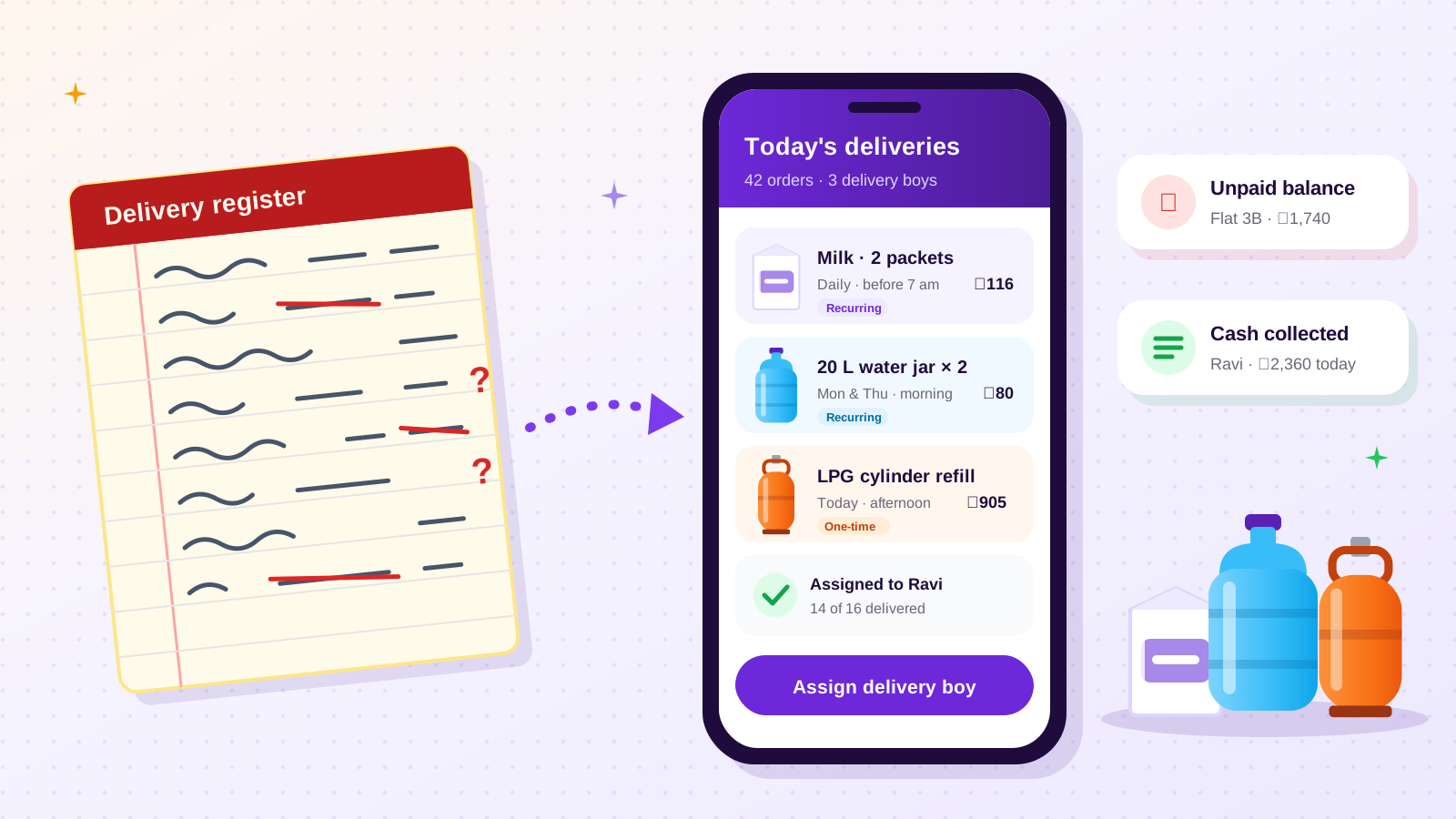
Most delivery problems in small supply businesses come from handling these two order types in different places. Recurring orders live in a notebook or in the owner's memory. One-time orders live in phone calls and chat messages. Each morning, someone has to merge the two into a list for drivers, and that is where deliveries get missed, doubled or forgotten.
This guide shows how to run both from one system, whatever you deliver and wherever you operate.
Why recurring deliveries are the core of the business
A recurring customer is worth far more than a one-time buyer. They create predictable income, they cluster on routes you already drive, and they rarely shop around while you keep delivering on time. A dairy with 300 daily customers, or a water supplier with 200 weekly households, can plan stock, staff and cash flow around those standing orders.
The flip side is that recurring customers are unforgiving about misses. A one-time customer whose order is late may give you another chance. A regular who wakes up without their milk twice in a month often starts looking for another supplier without telling you.
That is why the system matters more than the effort. Working harder does not stop recurring deliveries from slipping through the cracks. A routine that makes missing them hard does.
Step 1: Write down every standing order in the same format
Before changing any tools, list every recurring customer with the same five pieces of information:
- Customer and delivery address. Some customers have more than one, such as home and shop.
- Product and quantity, for example two 19-litre bottles, 1 litre of milk or one 11.8 kg cylinder.
- Frequency: daily, specific weekdays, weekly, every two weeks or monthly.
- Delivery window, such as before 7 am, morning or afternoon.
- Price and how they pay, whether per delivery, weekly, monthly, cash, transfer or card.
This one list usually reveals problems straight away: customers whose price was never updated, standing orders nobody remembers agreeing to, and regulars who are actually on hold.
Step 2: Generate each day's deliveries from the schedule
Once standing orders are written down properly, each day's recurring deliveries should be generated from them, not rewritten by hand. In a spreadsheet, that might be a filter by weekday. In delivery software, the system creates the day's orders automatically.
The point is that a recurring delivery should appear on the list unless someone deliberately removes it. Relying on someone to remember to add it is how deliveries get missed.
Handle exceptions on the schedule itself:
- Pauses and holidays. A customer away for a week should have their standing order paused for those dates, not deleted and re-entered later.
- Skips. A one-off "not this Monday" should skip one occurrence without touching the rest.
- Quantity changes. "Three bottles instead of two from next week" changes the standing order going forward.
- Cancellations. Ending a standing order should be a clear, recorded action, with any deposit or balance settled at the same time.
Step 3: Add one-time orders to the same list as they arrive
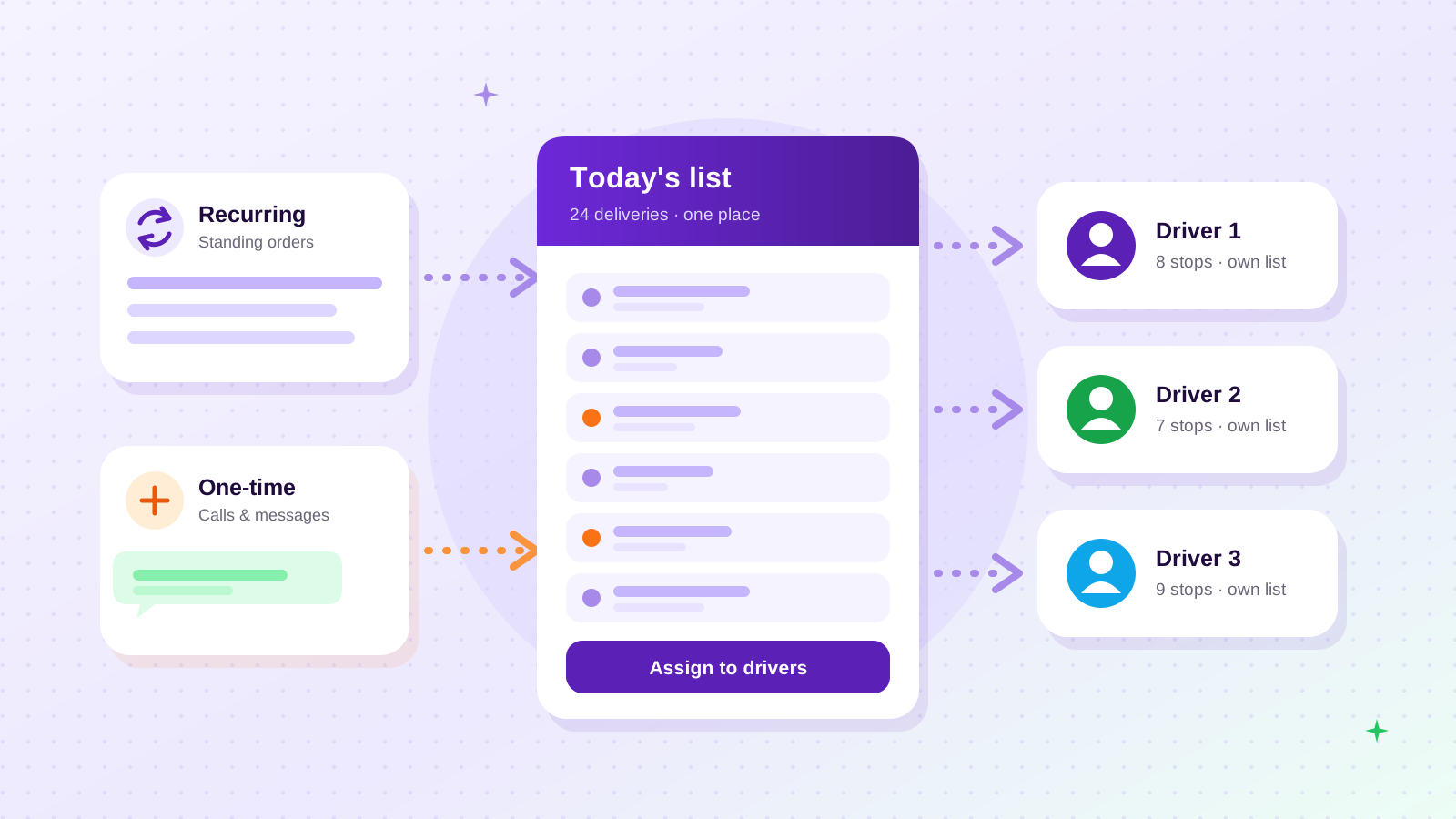
One-time orders come in by phone, chat message, a customer app or at the door. Whatever the channel, the rule is the same: record the order in the same list as the recurring deliveries as soon as you take it, with the same details (customer, address, product, quantity, delivery time and price).
That gives you a single list for the day. You can then:
- Group deliveries by area, so a one-time order on a street you already serve is added to that driver's run
- See the total quantity of each product needed before loading
- Spot clashes, such as a one-time order for a customer whose standing order is already due that day
Step 4: Give each driver their own list
Once the day's list is complete, assign every delivery to a specific driver. Each driver should see only their own deliveries, with addresses, quantities and delivery windows. They should be able to mark each one as delivered when it happens.
This removes the morning routine of calling each driver to read out addresses. It also gives you a live picture of the day. If, by mid-morning, one driver still has half their list pending, you can reassign deliveries before customers start calling.
Step 5: Tie every payment to a customer and a delivery
Recurring customers often pay differently from one-time customers. A regular might settle weekly or monthly, while a one-time customer pays on delivery. Problems start when payments are recorded loosely as "cash from Ahmed today" or "transfer received", with no link to who paid for what.
Keep it simple and consistent:
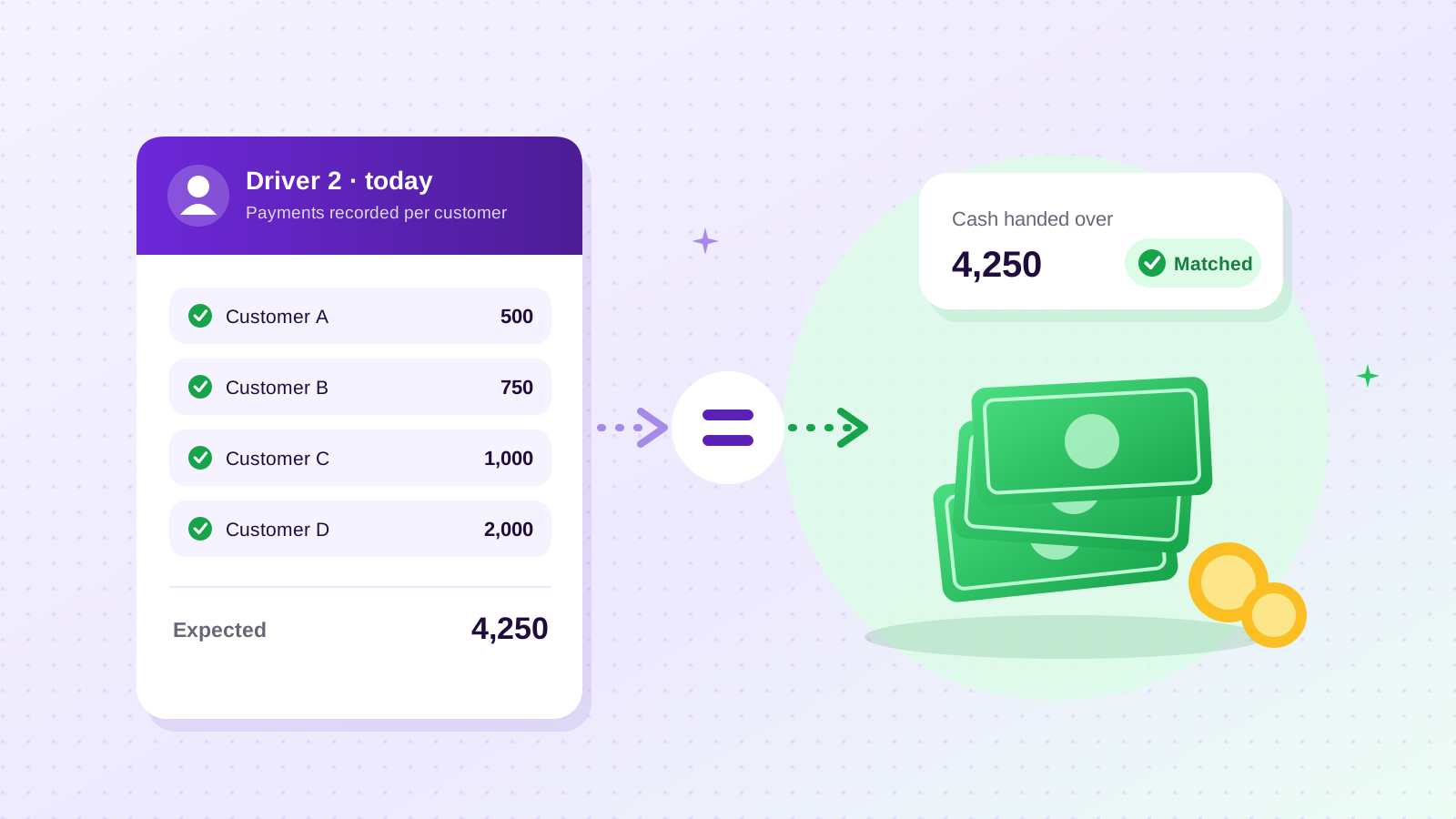
- Record each delivery's amount against the customer, so their balance builds up correctly.
- Record each payment against the customer when it is received, by you or a driver.
- At the end of each day, reconcile drivers: compare the payments each driver recorded with the cash they hand over.
- Review balances weekly, oldest first, and follow up before small amounts grow.
This works whether your customers pay mostly in cash (common across South Asia, Africa and the Middle East) or mostly by card and transfer (common in North America and Europe).
Step 6: Review the numbers once a week
A short weekly review keeps the system honest:
- How many recurring deliveries were scheduled, and how many were actually completed?
- How many one-time orders came in, and from whom? Frequent one-time buyers are candidates for a standing order.
- Which customers have balances older than your normal payment period?
- Which areas or drivers have the most late or missed deliveries?
You do not need complex reports. You need the same few questions answered every week from the same records.
Examples across different products
The same system applies whatever you deliver. These examples are illustrations, not real customers:
Milk and dairy. Most customers are on daily standing orders, with frequent pauses (holidays) and quantity changes (guests, weekends). The danger is a pause that is never resumed, or a quantity change applied to the wrong day. Generating each morning's list from the schedule, with pauses recorded on the schedule, avoids both.
Bottled water. Households take one or two bottles weekly, while offices take more on fixed weekdays. One-time orders spike in hot weather. Deposits on reusable bottles need recording against each customer. See our guide to starting and running a water delivery business for the water-specific details.
Gas cylinders. Orders are less frequent and less predictable, and many are effectively one-time orders triggered when a cylinder runs out. Security deposits on cylinders are common. Recording the deposit and the cylinder sale against the customer matters more than the schedule.
Food and meal delivery. Recurring orders, such as daily tiffin or weekly meal plans, run alongside walk-in and phone orders, often with tight delivery windows. The single daily list and driver assignment matter most here.
Common mistakes
- Keeping recurring and one-time orders in different places and merging them by hand each morning
- Deleting standing orders for holidays instead of pausing them, then forgetting to re-add them
- Calling drivers with addresses instead of giving each driver their own list
- Recording cash without a customer name, which makes balances impossible to trust
- Never reviewing completed vs scheduled deliveries, so missed deliveries only show up as complaints
What to look for in software for recurring and one-time deliveries
When a notebook or spreadsheet can't keep up, look for software that:
- Creates recurring orders automatically from standing schedules
- Handles one-time orders in the same order list
- Lets you pause, change or cancel a standing order cleanly
- Gives each driver their own login and delivery list
- Records payments against customers and tracks driver cash handovers
- Keeps a customer profile with addresses, history, balance and deposit
- Works on a phone, supports your currency and lets you define your own products
How 4Supplier handles recurring and one-time orders
4Supplier is a mobile app built for exactly this kind of business: suppliers who deliver on a schedule, on demand, or both. Typical users deliver water, milk, gas cylinders or food. Here is what it does today:
- Recurring and one-time orders from your own product list, with quantity, price and delivery time. Recurring orders are generated automatically on the schedule you set, and can optionally be cancelled automatically if not confirmed by a cutoff you choose.
- One order list with filters for all, unassigned, pending and completed orders, with recurring orders clearly marked.
- Driver accounts where each driver sees only their own deliveries. You assign and reassign from your phone.
- Customer profiles with addresses, order history, total spent, unpaid balance and security deposit.
- A wallet recording income, expenses, customer payments, deposits and the cash each driver collects and hands over.
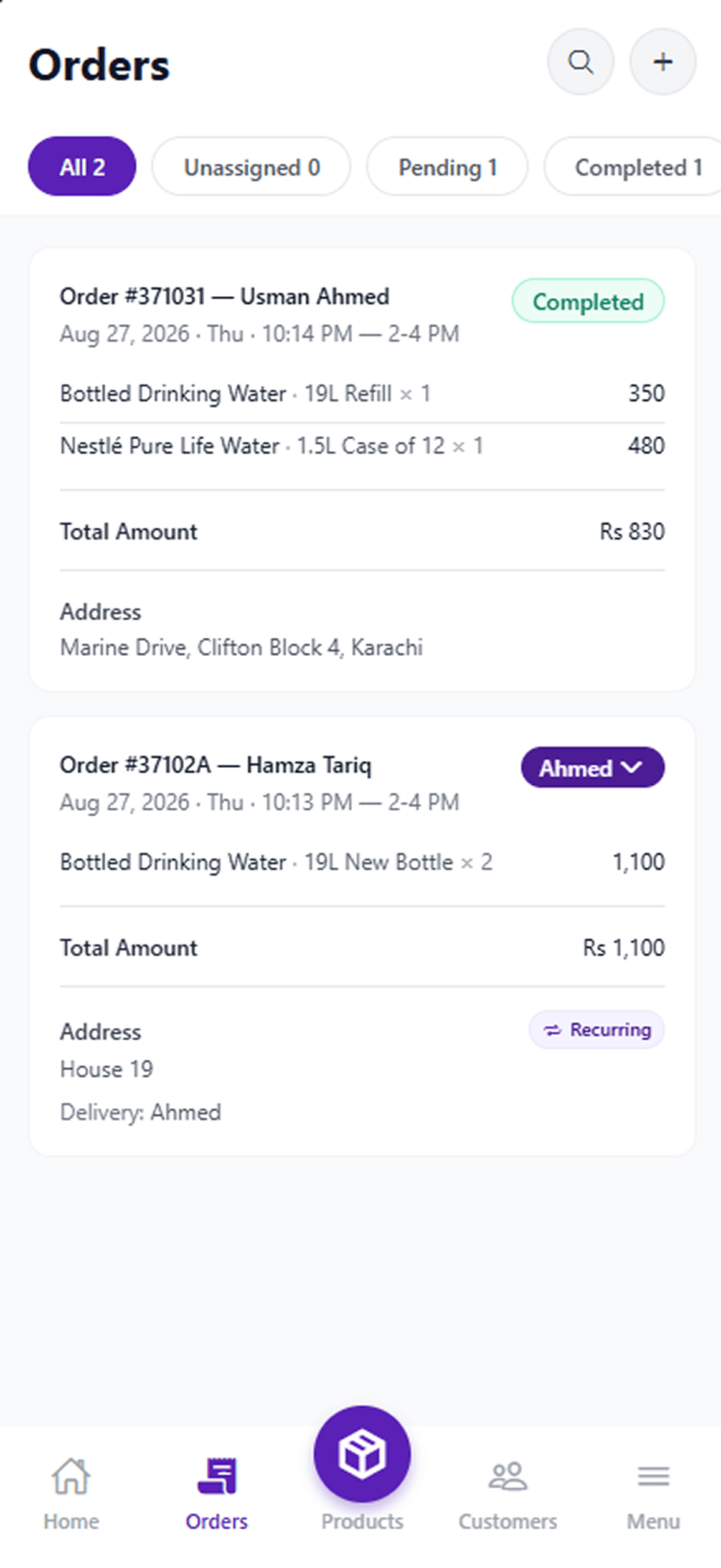
4Supplier records payments for bookkeeping but does not process card or bank payments, and it does not optimise routes or continuously track drivers. It is being built for Android and iOS and is not yet on Google Play or the App Store. Trade pages: water, milk and gas. You can see how it works step by step or browse the app screens.
Frequently asked questions
What is the difference between a recurring delivery and a one-time order?
A recurring delivery repeats on a schedule, such as daily, on certain weekdays, weekly or monthly, until it is paused or cancelled. A one-time order is delivered once. Most supply businesses handle both, and they work best when both appear in the same daily delivery list.
How do I stop missing recurring deliveries?
Write every standing order down in the same format, generate each day's deliveries from those schedules instead of rewriting them, handle pauses and skips on the schedule itself, and check completed deliveries against scheduled ones every day.
Should recurring customers pay per delivery or monthly?
Either can work. Per-delivery payment keeps balances small but means more cash handling by drivers. Monthly settlement is convenient for customers but needs accurate records of every delivery and payment. Whichever you choose, record each delivery and payment against the customer.
Can I manage recurring deliveries in a spreadsheet?
Yes, for a small number of customers. A spreadsheet starts to struggle when you have several drivers, frequent pauses and changes, and payments coming in through drivers. That is usually the point to move to delivery software.
Start with one list
Whatever you deliver, the fix is the same: one record of every standing order, one daily list that includes one-time orders, one list per driver, and every payment tied to a customer. Get that routine working, on paper if you must, and growth stops feeling like chaos.
If you want that routine on your phone, see what 4Supplier can do, or email info@nsians.com to ask whether it fits your business.